
Syntax Highlight
Quick Look extension for highlight source code files on macOS 12 and later.
Overview
Syntax Highlight (SourceCodeSyntaxHighlight) is the most advanced macOS Quick Look extension for source code files on macOS 12+. Powered internally by Andre Simon's Highlight engine, it supports Language Server Protocol (LSP) semantic enrichment, inline Git/VCS diff indicators, dozens of custom color schemes, plain-text file registration, and a live theme preview editor.
How It Works
Syntax Highlight operates through structured, deterministic execution stages:
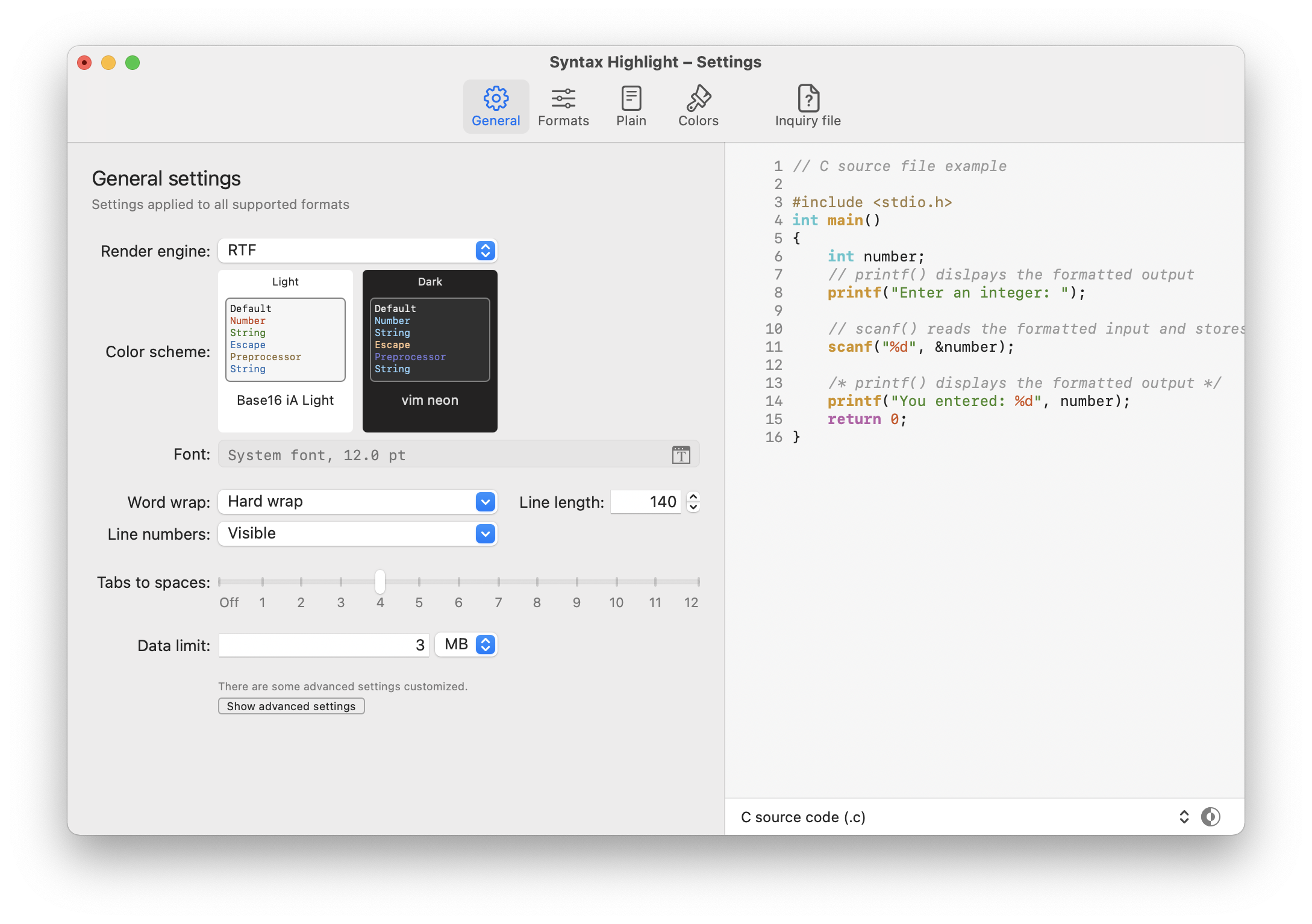
Syntax Highlight configuration app customizing themes and rendering rules
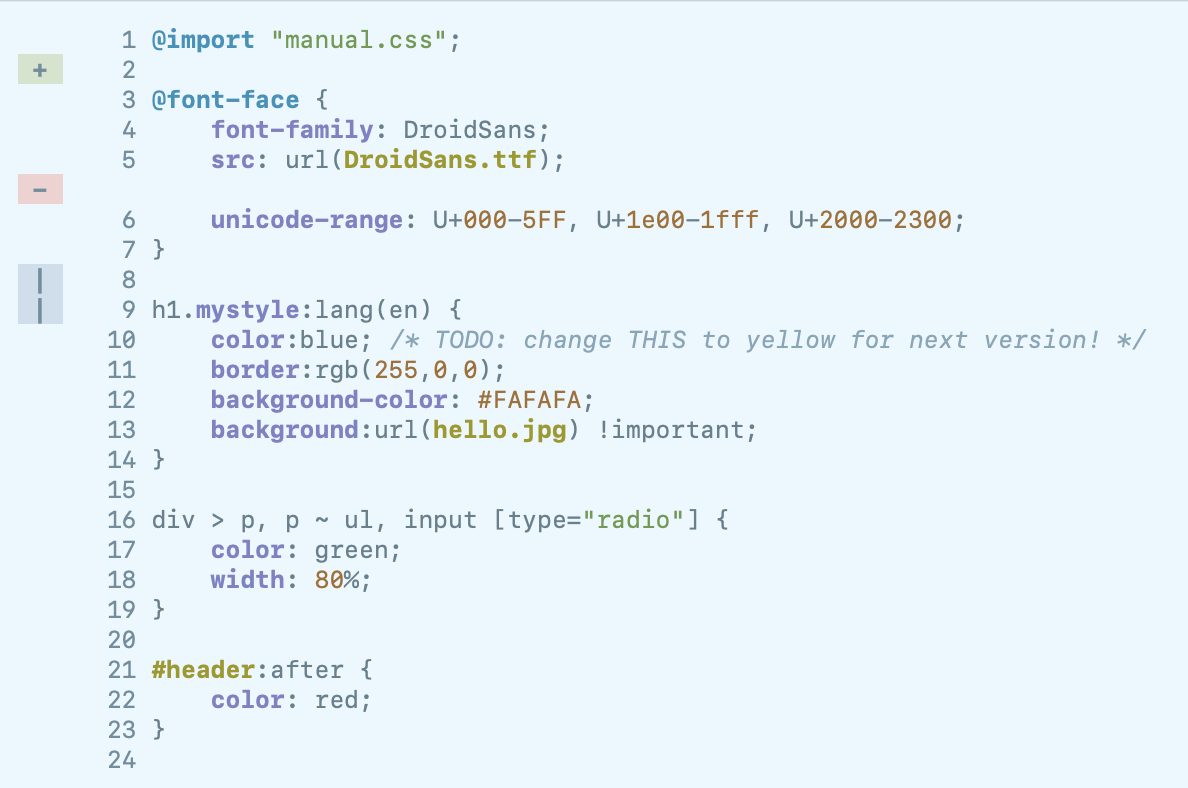
Syntax Highlight Quick Look view with VCS Git line change markers
Key Technical Features & Capabilities
Architecture & Technology Stack
Syntax Highlight.xcodeproj)System Requirements
| Specification | Minimum Requirement | Recommended Specification |
|---|---|---|
| Operating System | macOS 12.0+ (Universal Apple Silicon & Intel) | Latest stable release build |
| Processor Architecture | 4-Core x86_64 or Apple Silicon M1 | 8-Core Apple Silicon / Core i7+ |
| Memory (RAM) | 4 GB Unified Memory | 16 GB+ High-Speed RAM |
| Disk Space | 1 GB free SSD storage | 5 GB+ free SSD storage |
Installation & Setup Guide
macOS Installation
brew install --cask syntax-highlight
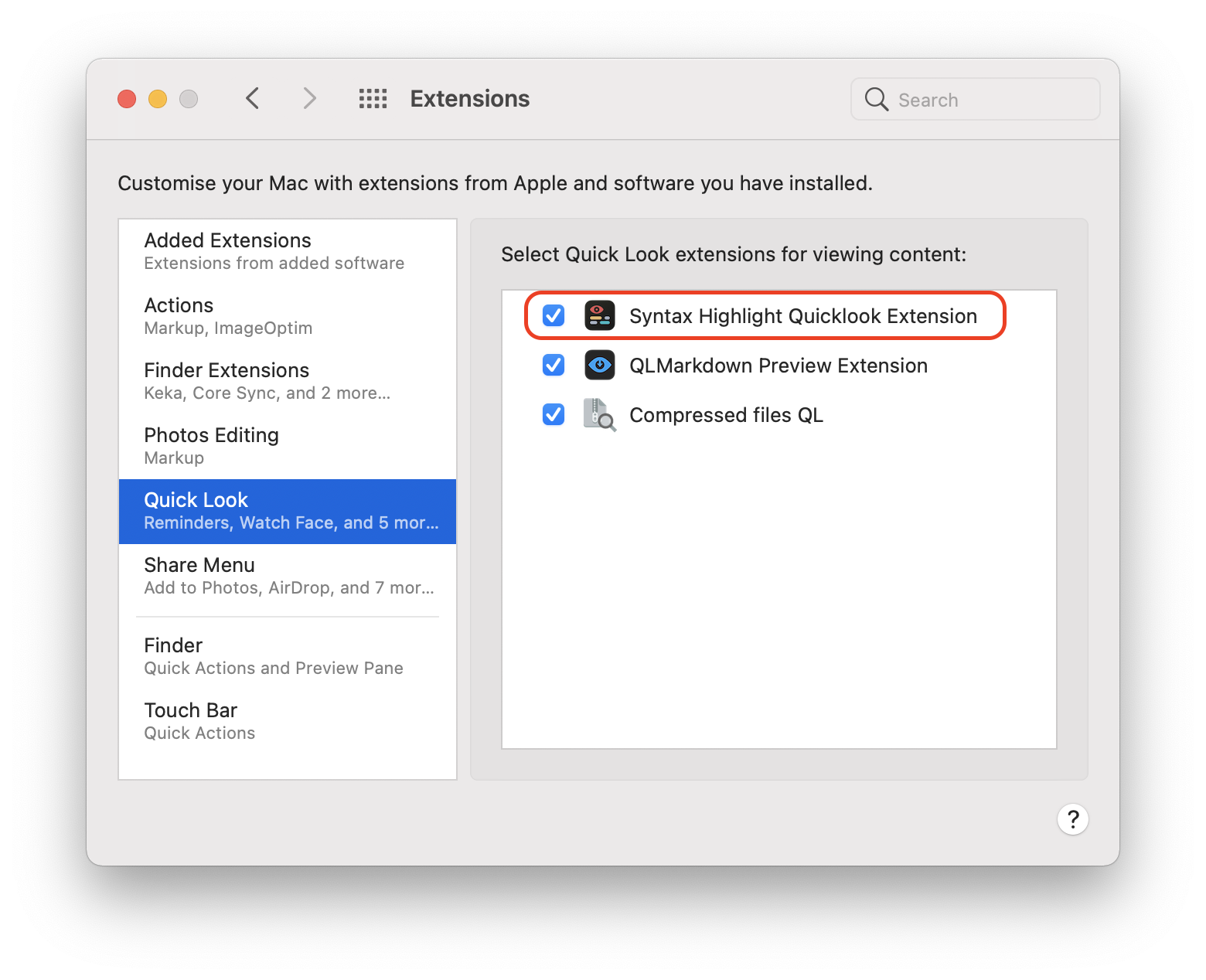
Or download Syntax.Highlight.zip from CookApps, drag Syntax Highlight.app into /Applications, launch once, and enable Quick Look Extension under System Settings.
Building from Source
git clone --recursive https://github.com/sbarex/SourceCodeSyntaxHighlight.git
cd SourceCodeSyntaxHighlight
open "Syntax Highlight.xcodeproj"
How to Use & Workflow
Syntax Highlight.app once and allow the plugin inside macOS Login Items & Extensions › Quick Look.Makefile or .env files).Troubleshooting & Common Issues
brew install --cask syntax-highlight or execute xattr -dr com.apple.quarantine "/Applications/Syntax Highlight.app".How to Use & Getting Started
Ready to run Syntax Highlight?
100% Free & Open-Source native desktop software. Star the repository to support development.