
Getman

Getman - Open Source Postman Lightweight Alternative written in Rust.
Overview
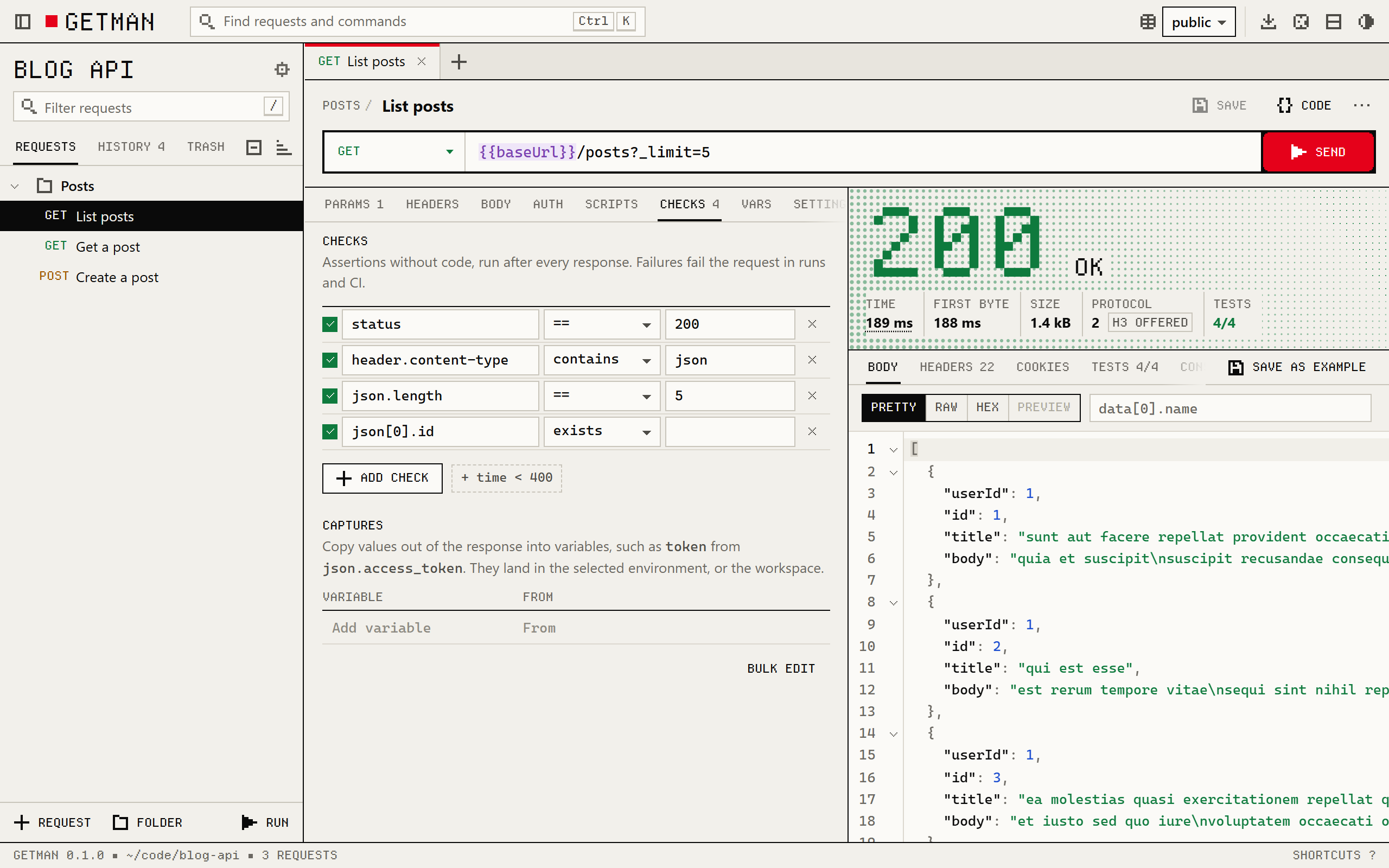
Getman is a fast, local-first, offline-first open-source API client built in Rust as a lightweight alternative to Postman. Speaking HTTP/1.1, HTTP/2, HTTP/3 (QUIC), gRPC, WebSocket, Server-Sent Events, and Socket.IO, Getman saves collections directly as plain YAML files alongside your source code and runs uniformly as a Tauri 2 Desktop App, local Svelte browser UI, SSH terminal UI, CI test runner, and MCP server.
How It Works
Getman operates through structured, deterministic execution stages:
_folder.yaml auth rule, assertion check, and secret-isolated *.local.yaml scope directly in your repository for effortless pull-request reviews..proto or server reflection), WebSocket, SSE, and Socket.IO calls in 7 ms with detailed DNS/TLS timing breakdowns.pm/gm JavaScript scripts, serves saved examples with getman mock, and exposes workspace requests safely via getman mcp.127.0.0.1 Svelte 5 browser interface, SSH terminal UI (getman tui), and CI runner (getman run) with JUnit/HTML/Excel reports.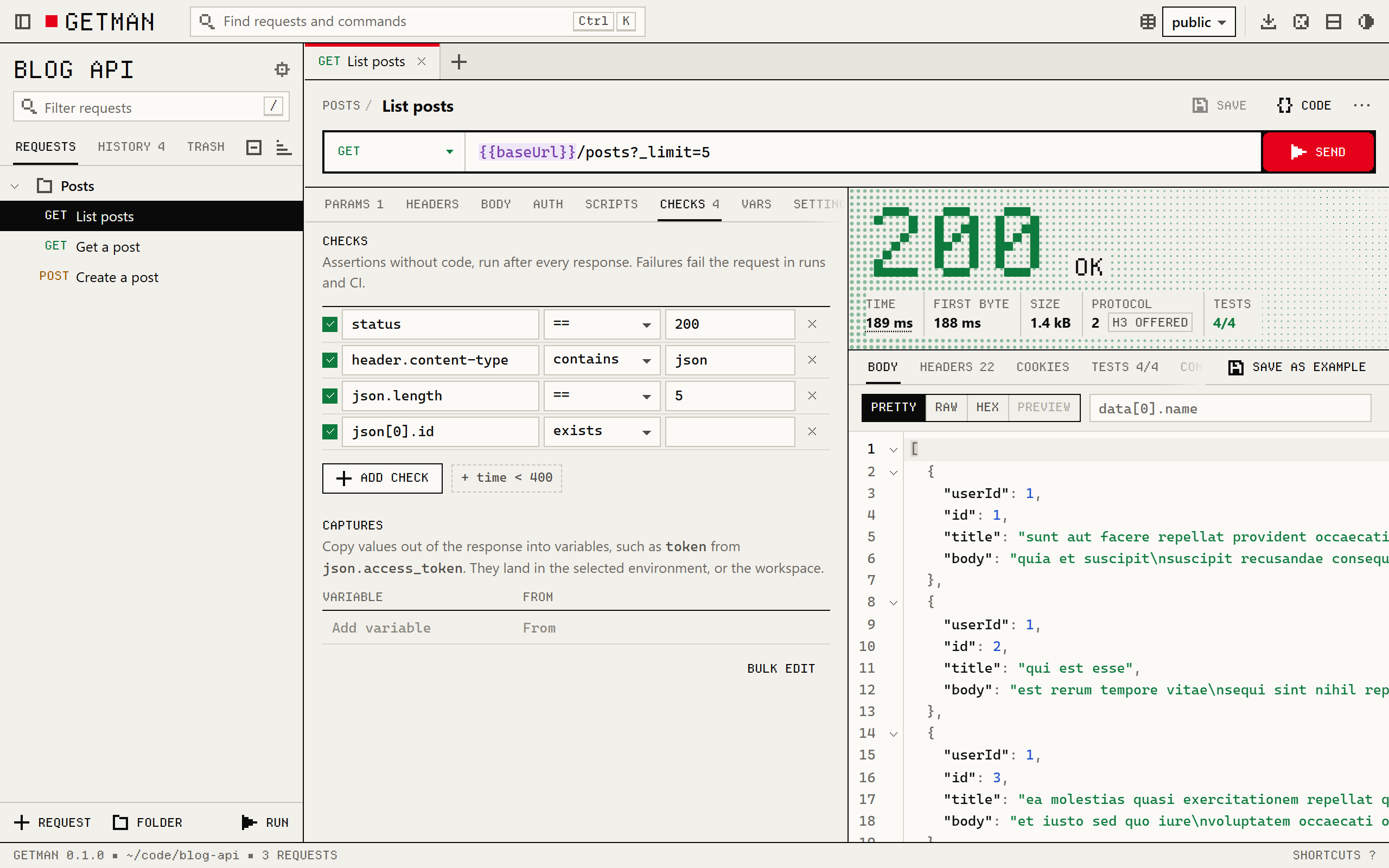
Getman request runner with HTTP status 200 response telemetry and 4/4 test assertions passed
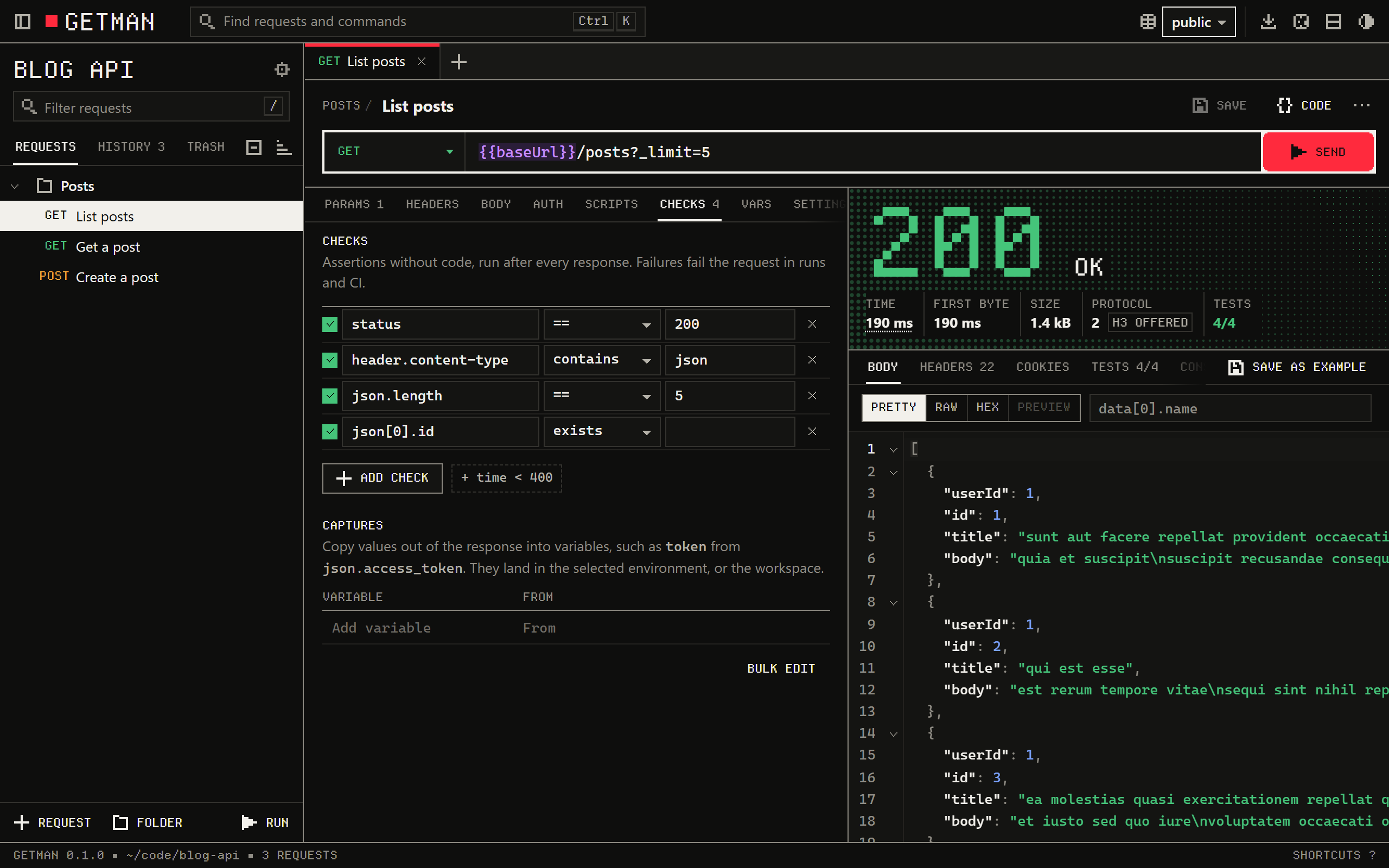
Getman dark workspace displaying API checks and collection hierarchy
Key Technical Features & Capabilities
_folder.yaml, request specs, git-ignored *.local.yaml secrets) ready for Git branches and pull requests..proto schemas or server reflection), WebSocket, SSE, and Socket.IO alongside OAuth 2.0 PKCE, AWS SigV4, JWT, mTLS, and SOCKS5 proxies.getman import / export on Postman collections, OpenAPI 3, Swagger 2, HAR, Insomnia, and cURL; executes embedded pm/gm JS assertions; and mocks saved examples via getman mock.15.2 MiB setup), exposes an SSH-friendly terminal UI (getman tui), runs CI assertions (getman run -r junit=getman.xml), and integrates safely with AI assistants (getman mcp).Architecture & Technology Stack
gm/pm test runner), MCP ServerSystem Requirements
| Specification | Minimum Requirement | Recommended Specification |
|---|---|---|
| Operating System | macOS (Universal DMG), Windows 10/11 (x64 & ARM64), Linux | Latest stable release build |
| Processor Architecture | 4-Core x86_64 or Apple Silicon M1 | 8-Core Apple Silicon / Core i7+ |
| Memory (RAM) | 4 GB Unified Memory | 16 GB+ High-Speed RAM |
| Disk Space | 1 GB free SSD storage | 5 GB+ free SSD storage |
Installation & Setup Guide
Desktop App & CLI Installation
Getman-windows-x64-setup.exe (or arm64-setup.exe) — installs for current user and adds getman to PATH.Getman-macos-universal.dmg, drag to /Applications, and install the bundled CLI via Settings › About.curl -fsSL https://fzn0x.github.io/getman/install.sh | sh (macOS/Linux) or irm https://fzn0x.github.io/getman/install.ps1 | iex (PowerShell).Building from Source
git clone https://github.com/fzn0x/getman.git
cd getman/web && npm ci && npm run build
cd .. && cargo install --path crates/getman
Installation & Setup Guide
Mở khóa ứng dụng để xem chi tiết hướng dẫn cài đặt, cấu hình môi trường và vận hành.
How to Use & Workflow
getman init --example in any repository directory to scaffold environments and sample YAML endpoints.getman (127.0.0.1) or getman tui to test REST, GraphQL, gRPC, or WebSockets with granular DNS/TLS timings.status == 201, json.id exists, time < 500) or JS pm assertions and variable captures.getman run -r junit=report.xml in GitHub Actions or mount getman mcp for secret-masked AI agent access.How to Use & Workflow
Mở khóa ứng dụng để xem chi tiết hướng dẫn cài đặt, cấu hình môi trường và vận hành.
Troubleshooting & Common Issues
127.0.0.1 with per-session random bearer tokens.How to Use & Getting Started
How to Use & Getting Started
Unlock this app with 2 Redit to access verified runbooks and usage workflows.
Ready to run Getman?
100% Free & Open-Source native desktop software. Star the repository to support development.