SHARE
Screenshots (6)
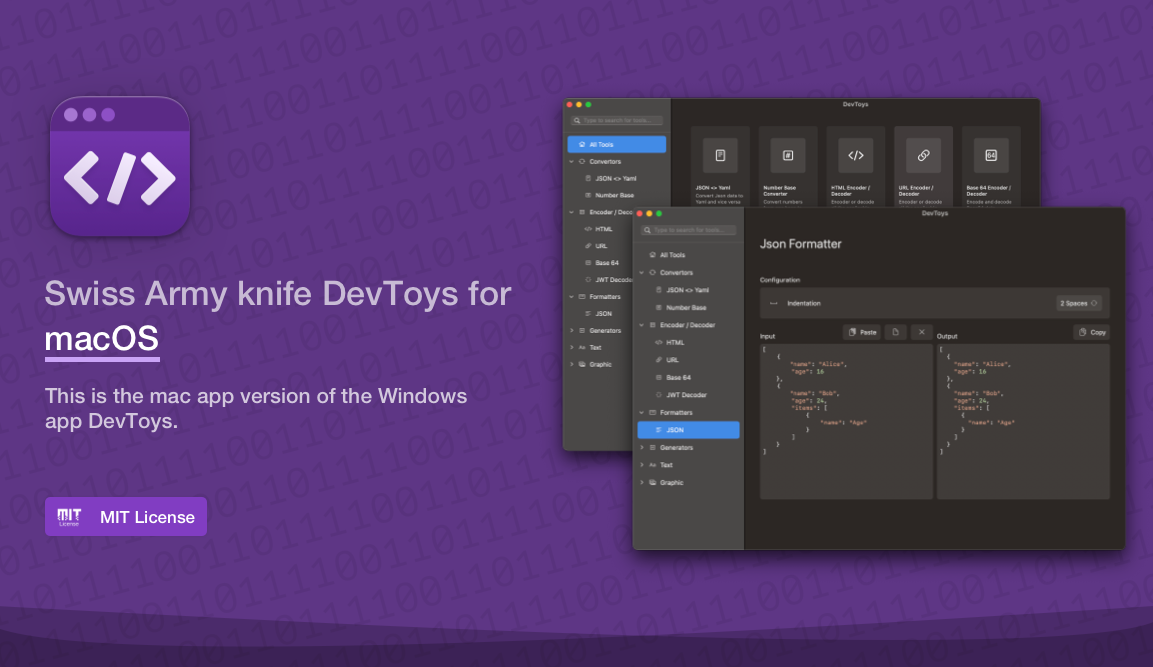
Screenshot 1 of 6
Overview
DevToysMac is the native macOS Swift & AppKit edition of the beloved DevToys Swiss Army Knife for developers. Packing over 28 essential offline developer tools—from JSON/YAML conversion, JWT inspection, regex testing, and Base64 decoding to QR code generation and image compression—it detects clipboard formats intelligently while keeping sensitive code strictly offline.
How It Works
DevToysMac operates through structured, deterministic execution stages:
28+ Offline Developer Utilities: Houses JSON/YAML converters, JWT decoders, hash generators, regex testers, diff tools, and UUID generators in one app.
Smart Clipboard Auto-Detection: Inspects pasted strings and highlights the matching decoder, formatter, or timestamp converter automatically in the sidebar.
Native SwiftUI Modular Execution: Performs all string parsing, image compression, and encoding strictly in native Swift memory with instant startup.
Zero Network Telemetry: Guarantees private credentials, bearer tokens, and proprietary JSON schemas never touch external servers.
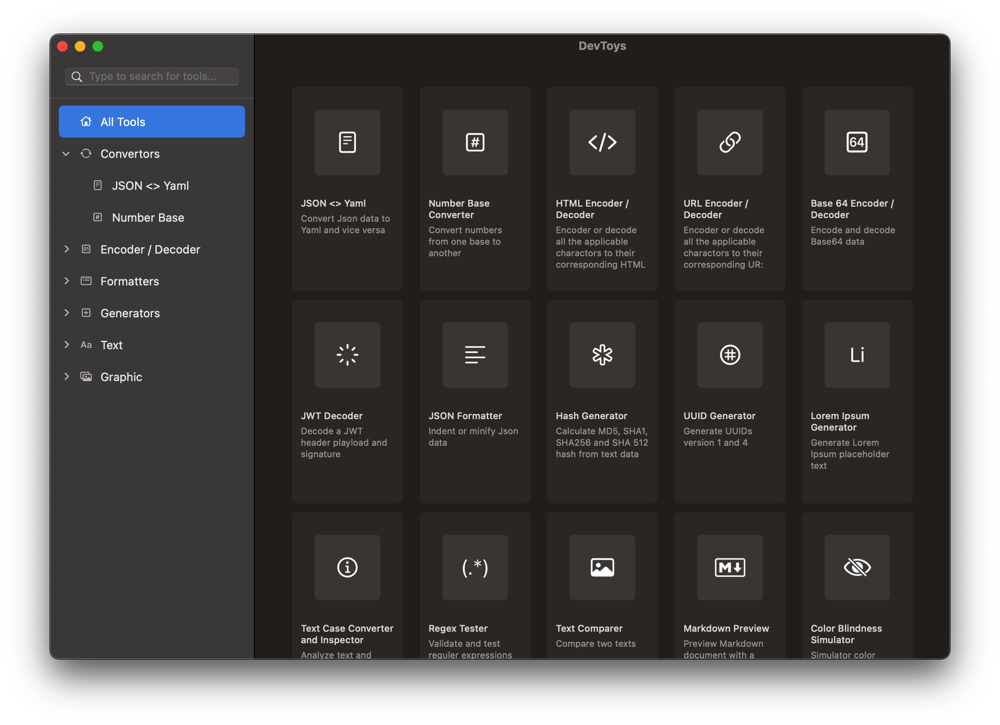
DevToysMac home screen showcasing offline developer conversion tools
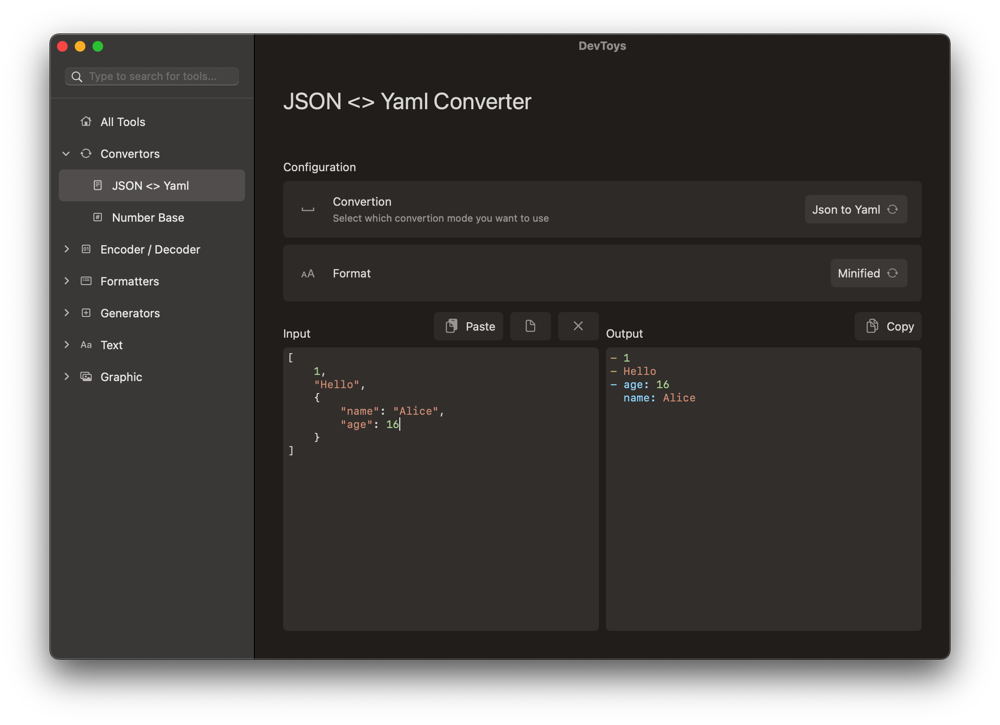
DevToysMac real-time JSON to YAML formatter and validator
Key Technical Features & Capabilities
Complete Offline Developer Swiss Army Knife: Unifies Converters, Encoders/Decoders, Formatters, Generators, Graphic utilities, and Text Diff comparators cleanly.
Smart Clipboard Type Detection: Evaluates clipboard text safely in local memory and suggests relevant tools (e.g., JWT, JSON, Unix timestamp) immediately upon opening.
Native Cocoa & SwiftUI Responsiveness: Compiled directly for macOS Apple Silicon & Intel with sub-second launch times and low memory usage.
100% Privacy-First Local Processing: Ensures sensitive API tokens, secrets, YAML configs, and PII never touch external web utilities.
Architecture & Technology Stack
Primary Languages: Swift
Frameworks & UI: AppKit / Cocoa, SwiftUI Components, CoreImage, Highlightr
Toolchain: Xcode Workspace (
DevToys.xcworkspace)Supported Platforms: macOS 11 Big Sur or later (Universal Apple Silicon & Intel)
System Requirements
| Specification | Minimum Requirement | Recommended Specification |
|---|---|---|
| Operating System | macOS 11.0+ (Universal Apple Silicon & Intel) | Latest stable release build |
| Processor Architecture | 4-Core x86_64 or Apple Silicon M1 | 8-Core Apple Silicon / Core i7+ |
| Memory (RAM) | 4 GB Unified Memory | 16 GB+ High-Speed RAM |
| Disk Space | 1 GB free SSD storage | 5 GB+ free SSD storage |
Installation & Setup Guide
macOS Installation
1
Download
DevToys.app.zip from CookApps or install via Homebrew:bash
brew install --cask devtoys
2
Unpack
DevToys.app and move it into /Applications.Building from Source
bash
git clone https://github.com/DevToys-app/DevToysMac.git
cd DevToysMac
open DevToys.xcworkspace
How to Use & Workflow
1
Copy Data to Clipboard: Copy any encoded token, minified JSON, UUID, or SQL query from your code editor.
2
Launch DevToys: Toggle Smart Detection to auto-open the relevant transformer, or select any category tool from the left sidebar.
3
Transform & Export: Copy formatted JSON/YAML, PNG/QR images, or side-by-side text diffs straight back to your workspace.
Troubleshooting & Common Issues
Issue: macOS reports unverified developer warning when opening directly from GitHub archive.
*Cause*: Downloaded archive carries macOS quarantine extended attribute.
*Resolution*: Right-click
DevToys.app › Open, or install via brew install --cask devtoys.How to Use & Getting Started
## Installation & Setup Guide
### macOS Installation
1. Download `DevToys.app.zip` from CookApps or install via Homebrew:
```bash
brew install --cask devtoys
```
2. Unpack `DevToys.app` and move it into `/Applications`.
### Building from Source
```bash
git clone https://github.com/DevToys-app/DevToysMac.git
cd DevToysMac
open DevToys.xcworkspace
```
Ready to run DevToysMac?
100% Free & Open-Source native desktop software. Star the repository to support development.